What you see
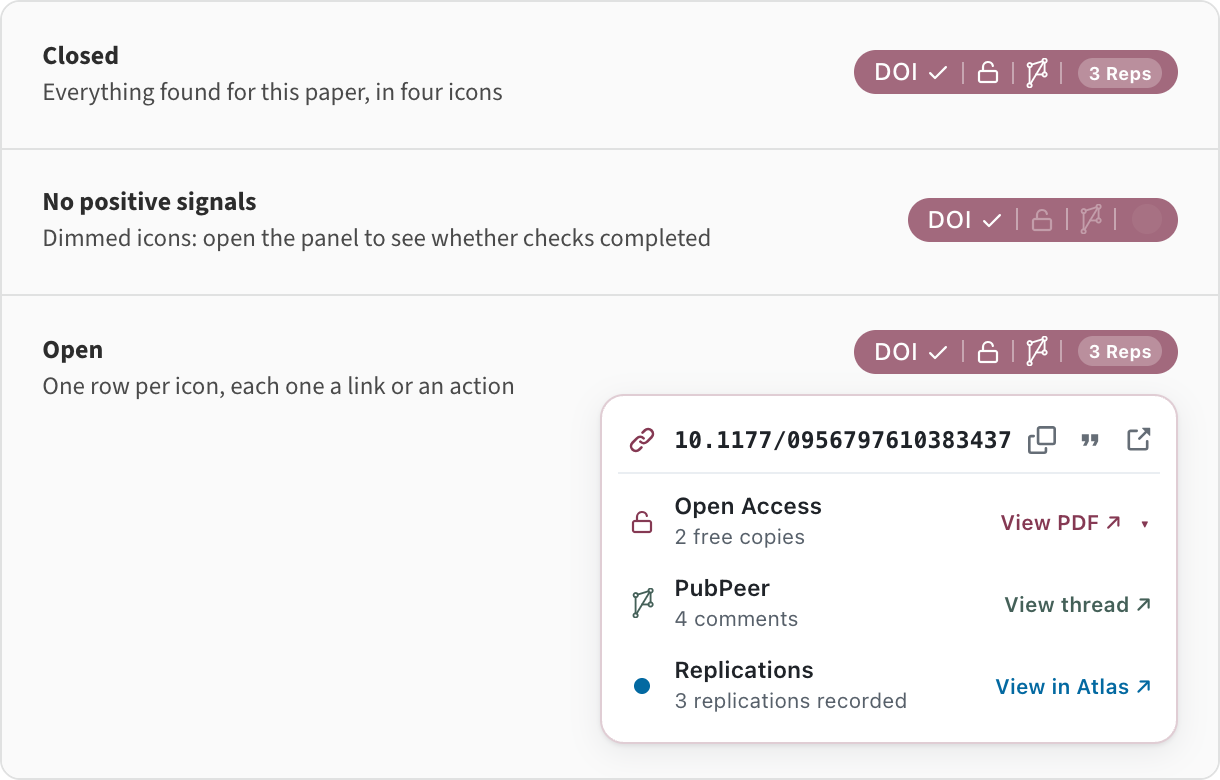
One small pill appears next to each paper ORE recognises. The pill keeps its shape while lookups are still running, so nothing jumps around as results arrive.
One pill, four signals
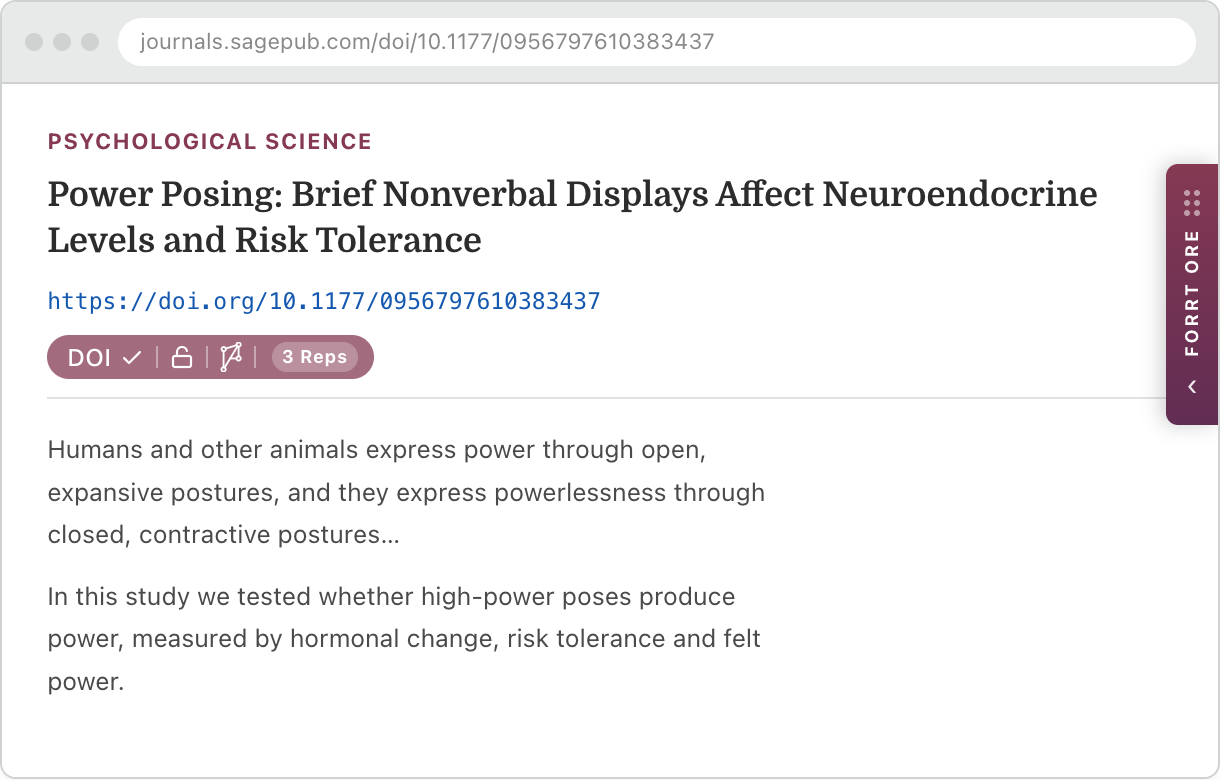
Left to right: whether the DOI was read off the page or found by search, whether a free full text exists, whether the paper is discussed on PubPeer, and how many replications or reproductions are on record. A dimmed segment can mean nothing was found, or that the check is pending or unavailable. Point at the pill to read each status and available action; click to keep it open.
On the article, and on every reference
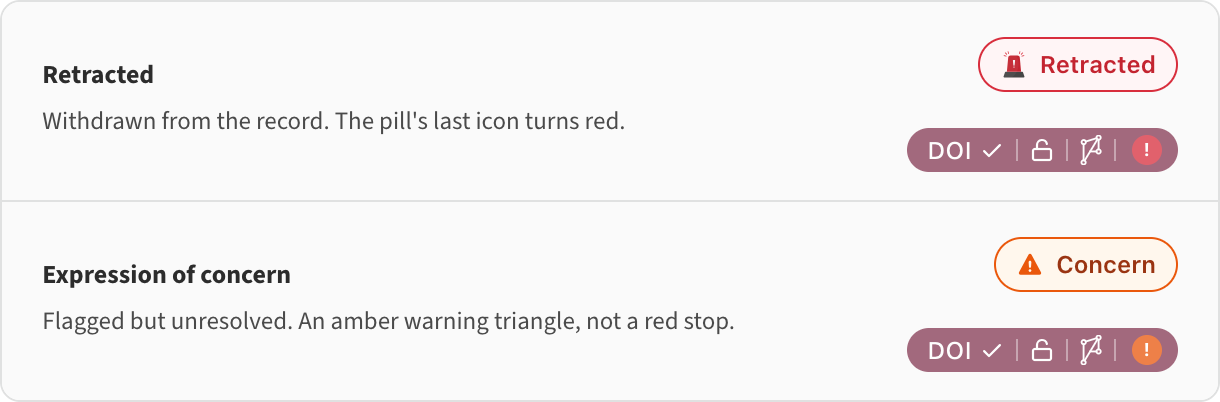
On journal and preprint pages, a pill sits next to the article's own DOI and next to the references below it, so you can see at a glance which of the works a paper builds on have been replicated — or retracted.
The Meta Report panel
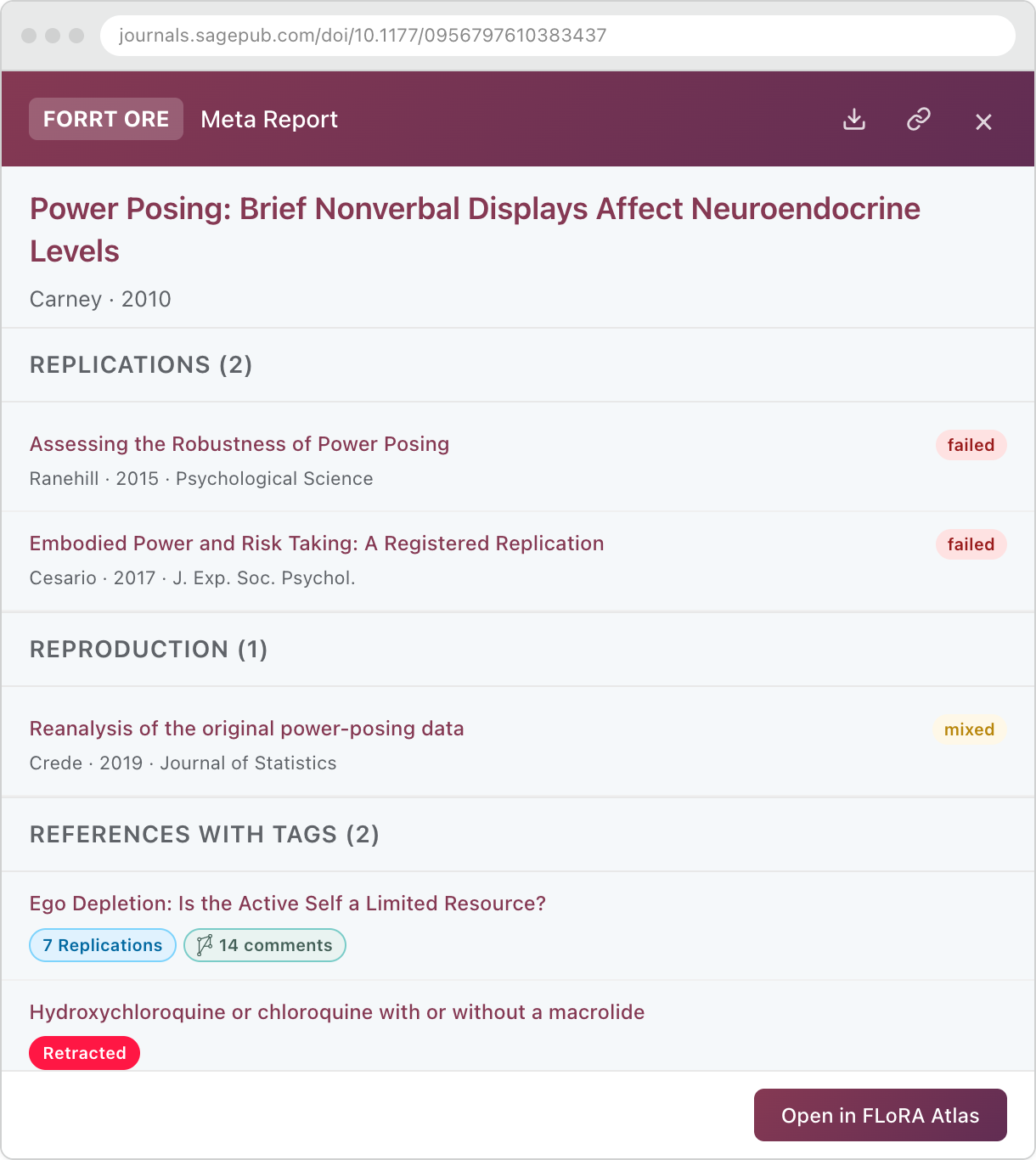
A draggable ORE tab sits at the edge of the page. Open it for the full picture: every known replication and reproduction colour-coded by outcome, retraction and concern notices, and which of the paper's references have their own entry in the FLoRA Replication Atlas or a PubPeer thread. If the paper you are reading is itself a replication, the panel shows the original study instead.
A report can be saved as a PDF, or shared as a link that opens it as a web page for colleagues who do not have ORE. The report travels inside the link itself — nothing is uploaded, and no server ever sees what you were reading.
Where it works
ORE runs on any page that mentions papers. Three places get purpose-built treatment.
Search results: Google Scholar, Scopus, PubMed and more
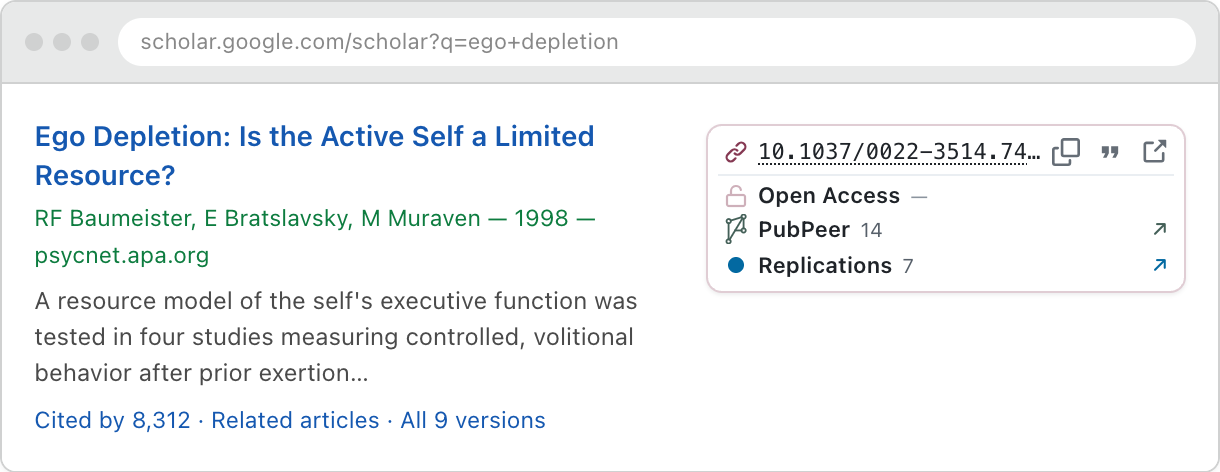
Each search result gets a panel with its DOI, a one-click citation in the style you chose, open-access status, PubPeer comment count and replication count. A DOI printed on the page is shown plain; hover it and the panel says it was found there.
When a result carries no DOI at all, ORE searches Crossref and OpenAlex by title and narrows the candidates by first author and year. A DOI found that way is underlined with dots and labelled “Matched by search” — a match to check rather than trust.
ORE annotates results on Google Scholar, OpenAlex, Semantic Scholar, PubMed, Europe PMC, Scopus and EBSCOhost (the research.ebsco.com interface, e.g. PsycINFO). Where results carry no DOI on the page, ORE takes it from the site's own record of the work — OpenAlex and Semantic Scholar through their public APIs, PubMed and Europe PMC through NCBI's ID converter, and Scopus and EBSCOhost through the same requests the page itself makes to that site — so panels appear without a title search.
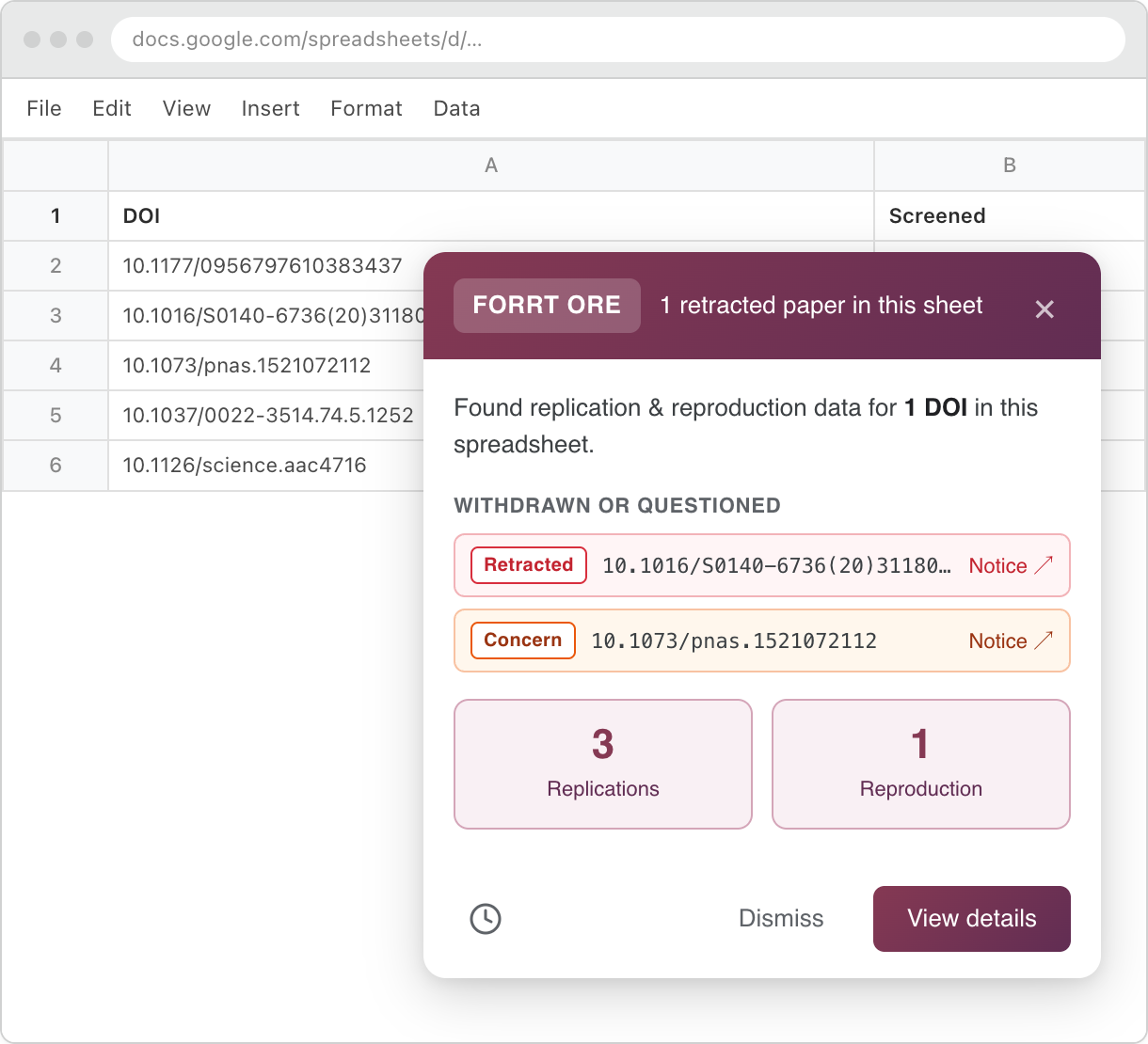
Google Sheets
Open a spreadsheet of papers — a screening sheet, a reading list, a reference export — and the whole sheet is scanned, including rows below the fold, with a summary of what was found. Retracted papers and expressions of concern are named individually and linked to their notices, and the popup opens for them even when nothing in the sheet has replication data.
PubMed, publishers, preprint servers, anywhere else
The general content script reads DOIs from meta tags, JSON-LD, links, tables and visible text, and follows single-page navigations so the pills stay in step as you click through a site. Publisher-specific placement rules keep pills where they belong on the sites researchers use most.
Your controls
ORE is meant to sit quietly in the background. When it does not, you can turn it down.
Per-site switches
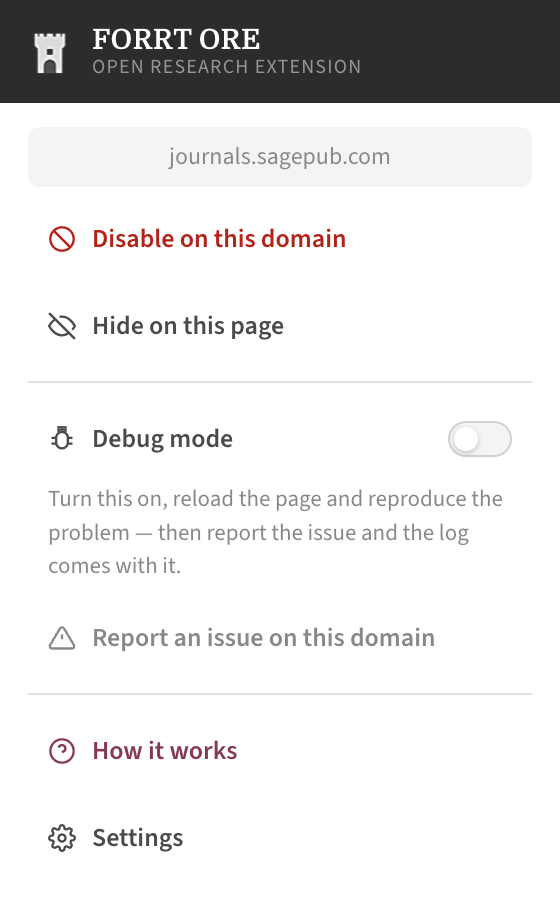
The toolbar popup hides ORE on the current page, disables it for the whole domain, or reports a placement problem on that site. Disabled domains are remembered in your settings.
Settings
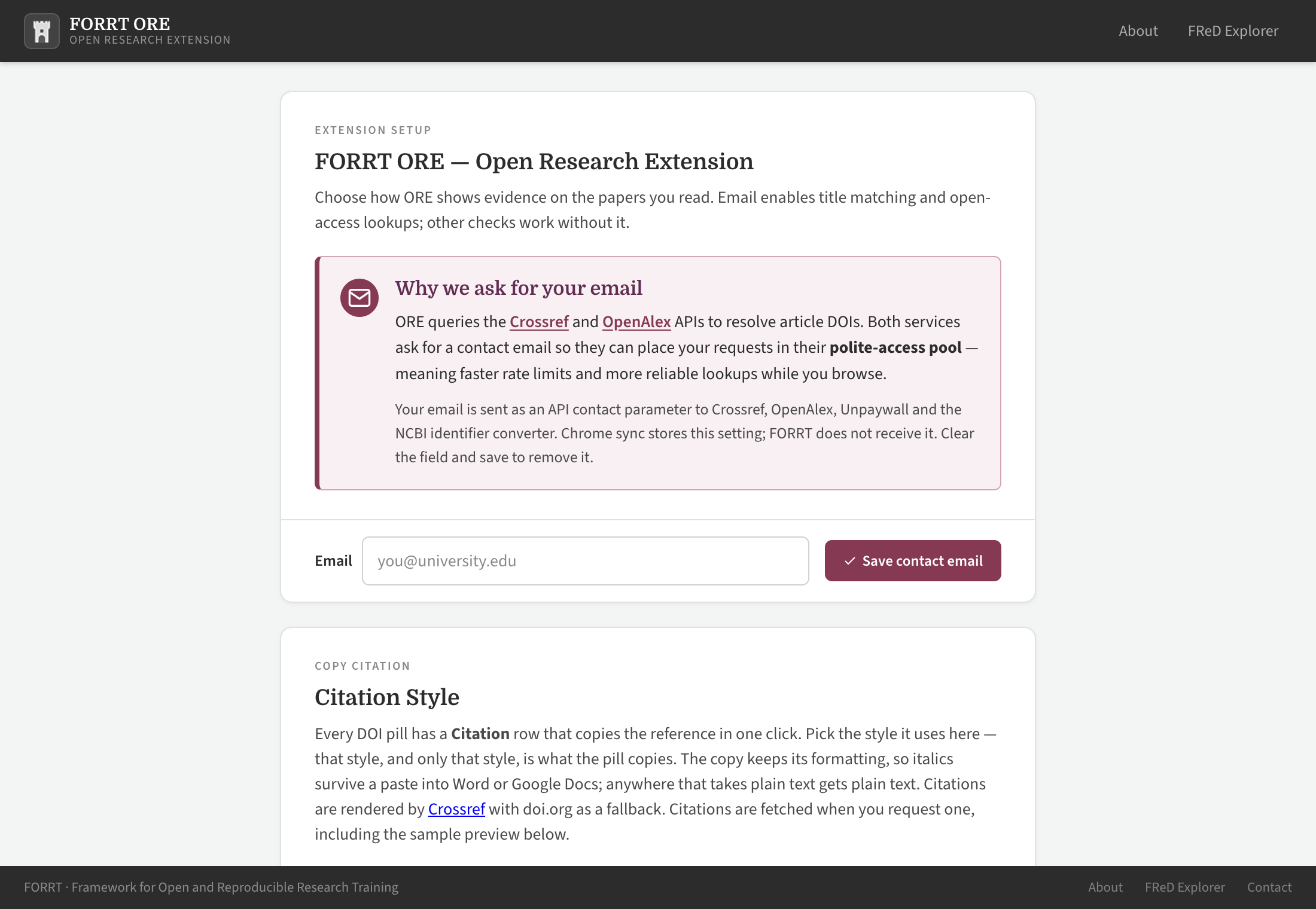
Set or remove the API contact email sent to Crossref, OpenAlex, Unpaywall and NCBI, choose your citation style — copied with its italics intact, so it pastes into Word or Google Docs correctly formatted — cap how much cache is kept, manage the domain blocklist, and mute PubPeer commenters you would rather not see.
Install
ORE works in Chrome and Edge (version 116 or later).
- Open FORRT ORE in the Chrome Web Store and click Add to Chrome. In Edge, first click Allow extensions from other stores when Edge asks.
- The welcome tour opens after installation. Choose Open Settings at the end, or Skip to Settings, to optionally enter a contact email. ORE needs it for title-to-DOI matching and Unpaywall lookups. Existing DOI, replication, retraction and PubPeer checks work without it. The address accompanies Crossref, OpenAlex, Unpaywall and NCBI requests.
Manual install
To run the latest build before it reaches the store, load it as an unpacked extension:
-
Download
flora-extension.zipfrom the releases page — it is built automatically from the latest code. - Unzip it to a folder you will keep (deleting it uninstalls the extension).
- Open
chrome://extensionsoredge://extensions. - Turn on Developer mode, top right.
- Click Load unpacked and select the unzipped folder.
Building from source instead? See the
README
— npm install && npm run build, then load the
repository root as an unpacked extension.
Privacy, briefly
ORE has no accounts, no analytics and no tracking. What leaves your browser includes paper identifiers, article titles and the contact email you entered in settings, which goes to Crossref, OpenAlex, Unpaywall and NCBI as the address they ask for. On an article page, the address of that page goes to PubPeer with the comment lookup for the paper. Retractions are checked entirely on your own machine against a list downloaded once a week, so no DOI is ever sent anywhere to ask “was this retracted?”. A link to a long list of papers in the Atlas stores that list encrypted on your device, under a key carried only in the link and never sent to FORRT.
Data sources
| What | Source |
|---|---|
| Replications and reproductions | FORRT Replication Database, surfaced through the FLoRA Replication Atlas |
| Retractions and expressions of concern | Retraction Watch / The Center for Scientific Integrity, released with Crossref under CC BY 4.0 |
| Title → DOI resolution and citations | Crossref and OpenAlex |
| Open-access full text | Unpaywall, plus PubMed Central for PMC-hosted articles |
| Post-publication comments | PubPeer |
Something looks wrong?
A pill is in the wrong place
Use “Report an issue on this domain” in the toolbar popup, or open an issue with the URL. Publisher layouts change often and each site is fixed individually.
A DOI matched the wrong paper
Title matches are marked with an underline and no tick precisely because they can be wrong. Please report the case — it helps tune the matching threshold.
A replication is missing
The evidence comes from the FORRT Replication Database, which is community-curated. You can contribute an entry.
Nothing appears at all
Check that an email is set in Settings, that the domain is not on your blocklist, and that the page actually names a DOI or a paper title.